%20for%20navbar/footer%20logo.%20--%3e%3csvg%20version='1.1'%20xmlns='http://www.w3.org/2000/svg'%20viewBox='61.4%2076.9%20205.2%20174.1'%3e%3cg%20transform='translate(61.4,76.9)%20scale(2.3855)'%3e%3cpath%20d='M69,7%20C69,10.1251958%2070.4336074,12.9155546%2072.6790647,14.7493188%20L67.719258,14.7476636%20L67.719258,73%20L53.7770578,73%20L53.7770578,36.1028037%20L42.1585577,36.1028037%20C42.0110212,41.2616822%2041.0335918,46.0280374%2039.2262695,50.4018692%20C37.4189473,54.7757009%2034.7632901,58.2897196%2031.259298,60.9439252%20C27.7553059,63.5981308%2023.4951892,64.9252336%2018.4789479,64.9252336%20C15.0856081,64.9252336%2011.9688994,64.2336449%209.12882154,62.8504673%20C6.28874373,61.4672897%204.05725402,59.5981308%202.43435241,57.2429907%20C0.811450804,54.8878505%200,52.2523364%200,49.3364486%20C0,43.728972%202.2868159,39.411215%206.86044771,36.3831776%20C11.4340795,33.3551402%2017.8888018,31.8411215%2026.2246146,31.8411215%20L28.2163575,31.8411215%20L28.2163575,17.1495327%20C28.2163575,13.2616822%2027.5708853,10.3084112%2026.2799408,8.28971963%20C24.9889963,6.27102804%2023.2738844,5.26168224%2021.134605,5.26168224%20C19.0690939,5.26168224%2017.4646343,5.99065421%2016.3212264,7.44859813%20C15.1778184,8.90654206%2014.6061145,10.7943925%2014.6061145,13.1121495%20C14.6061145,15.2056075%2015.2515867,16.9813084%2016.5425312,18.4392523%20C17.8334756,19.8971963%2019.3641669,20.6635514%2021.134605,20.7383178%20C18.1838748,23.5046729%2014.9380716,24.8878505%2011.3971954,24.8878505%20C8.74153821,24.8878505%206.52849056,23.953271%204.75805244,22.0841121%20C2.98761432,20.2149533%202.10239526,17.8971963%202.10239526,15.1308411%20C2.10239526,10.6448598%203.90971751,7.1682243%207.524362,4.70093458%20C11.1390065,2.23364486%2015.6757542,1%2021.134605,1%20C24.9705543,1%2028.4929885,1.76635514%2031.7019075,3.29906542%20C34.9108266,4.8317757%2037.4558314,6.94392523%2039.3369219,9.63551402%20C41.2180124,12.3271028%2042.1585577,15.2803738%2042.1585577,18.4953271%20L42.1585577,31.8411215%20L53.7770578,31.8411215%20L53.7770578,14.7476636%20L45.9207387,14.7476636%20L45.9207387,0.710280374%20L71.2262661,0.70907886%20C69.8340595,2.42730587%2069,4.61625042%2069,7%20Z%20M28.2163575,36.1028037%20L26.2246146,36.1028037%20C21.7985193,36.1028037%2018.6449264,37.1682243%2016.7638359,39.2990654%20C14.8827454,41.4299065%2013.9422002,44.5140187%2013.9422002,48.5514019%20C13.9422002,51.6915888%2014.4401359,54.4953271%2015.4360073,56.9626168%20C16.4318788,59.4299065%2018.0732225,60.6635514%2020.3600384,60.6635514%20C22.9419273,60.6635514%2024.896786,59.0747664%2026.2246146,55.8971963%20C27.5524432,52.7196262%2028.2163575,48.5140187%2028.2163575,43.2803738%20L28.2163575,36.1028037%20Z'%20fill='%23000000'/%3e%3ccircle%20cx='79'%20cy='7'%20r='7'%20fill='%23AE8B47'/%3e%3c/g%3e%3c/svg%3e)
BharatX Product
The Reconciliation guide
Compare GST returns with each other and with your books, month by month.
Before you start
- Client is on your Clients page
- API Access enabled on their GST portal
- Client can share an OTP
Connect
Choose the client
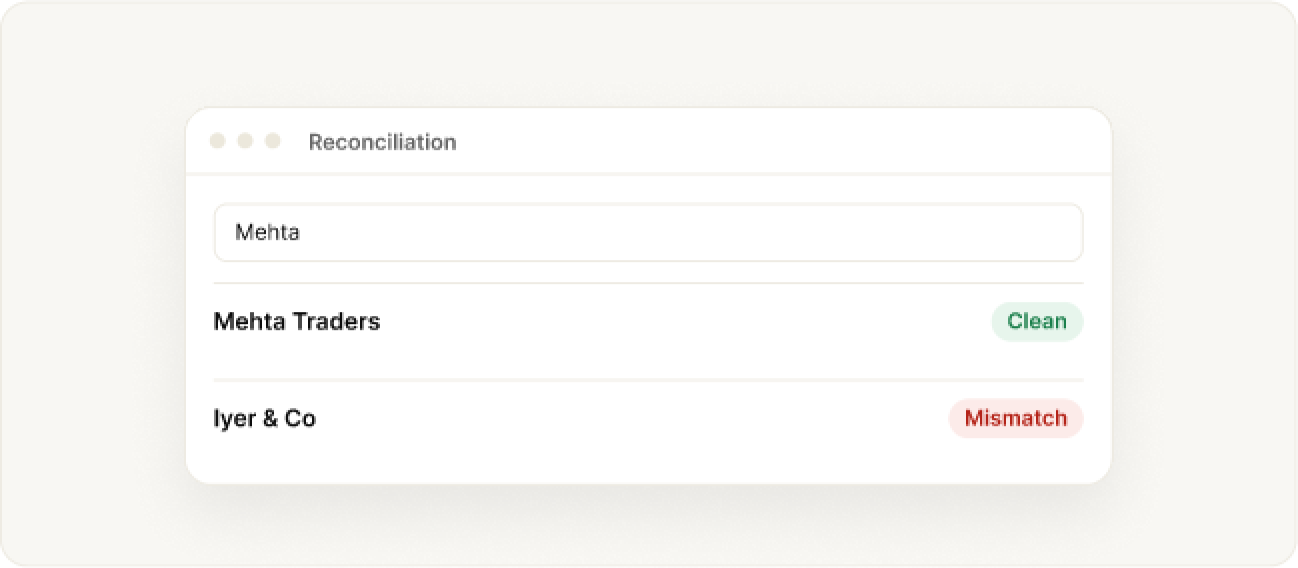
Open Reconciliation from the sidebar, search by name or GSTIN and select the client. Clients you have reconciled before are listed and labelled Mismatch or Clean.
Connect to the GST portal
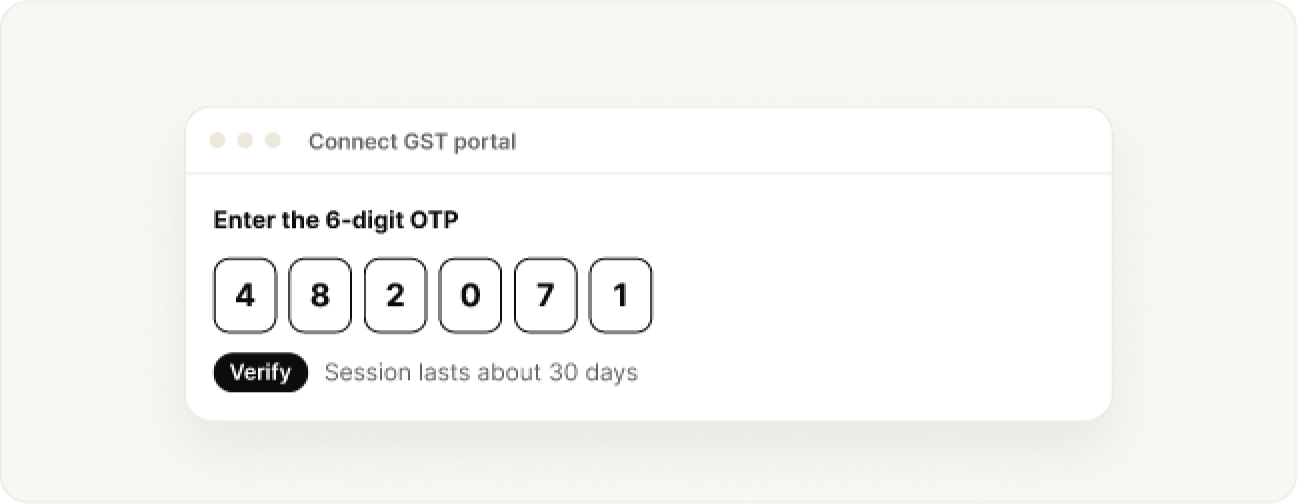
With no live session, send an OTP and enter the code your client receives. A red label means the session has expired, though results already read stay visible. A session lasts about 30 days and renews itself.
If access looks switched off, the client needs to enable API Access in their portal profile.
Compare returns
Compare returns
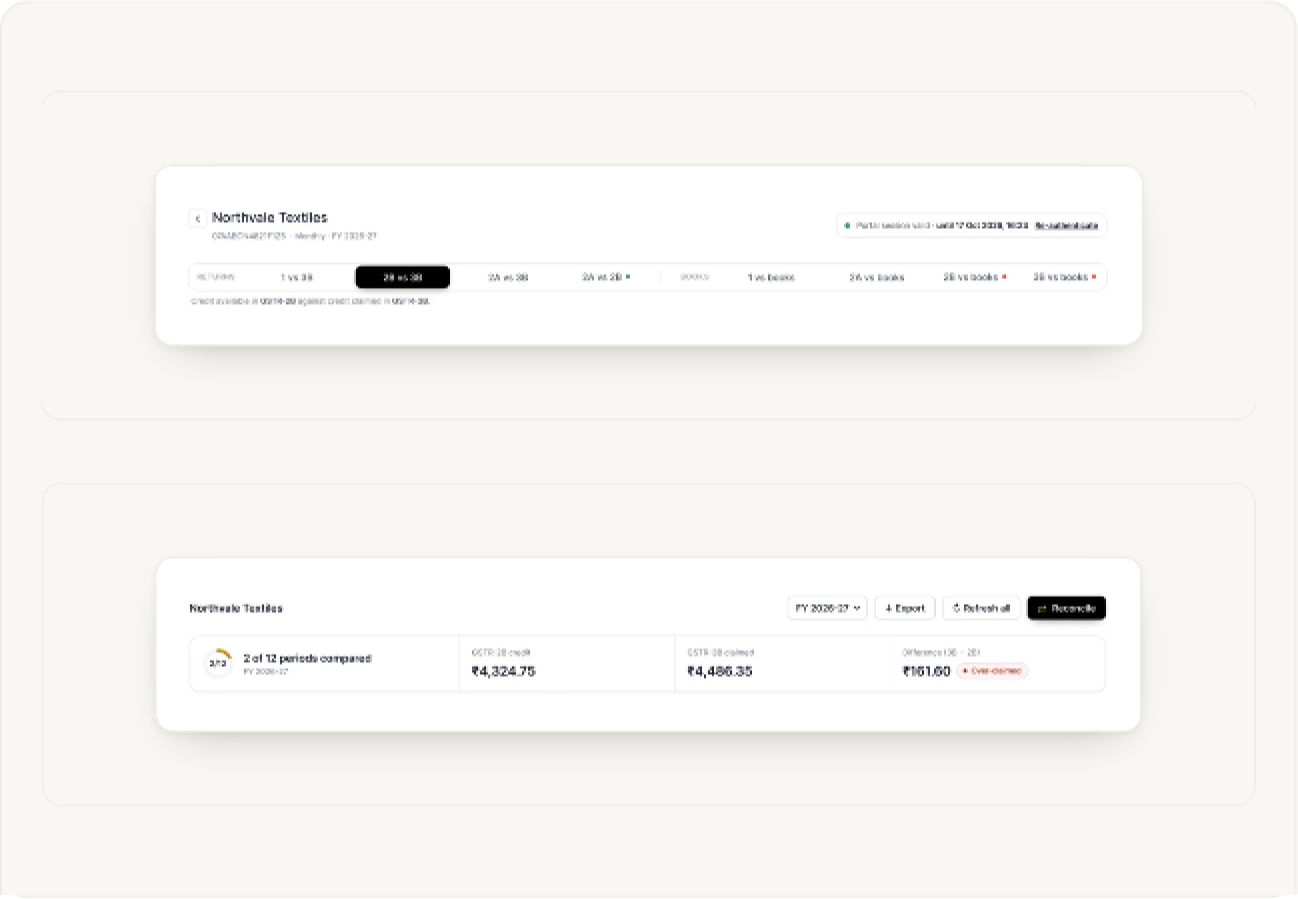
A green chip at the top shows Portal session valid with its expiry, and Re-authenticate when you need it. Pick a comparison from the tabs:
- Returns: 1 vs 3B, 2B vs 3B, 2A vs 3B, 2A vs 2B.
- Books: 1 vs books, 2A vs books, 2B vs books, 3B vs books.
A one-line note under the tabs says what is being compared. Choose the financial year, then use Reconcile to read missing data, Refresh all to download everything again (once a day per client) or Export to save to Excel.
The summary card shows how many periods are compared, the GSTR-2B credit, the GSTR-3B claimed and the Difference, labelled Over-claimed or short.
Scan the year at a glance
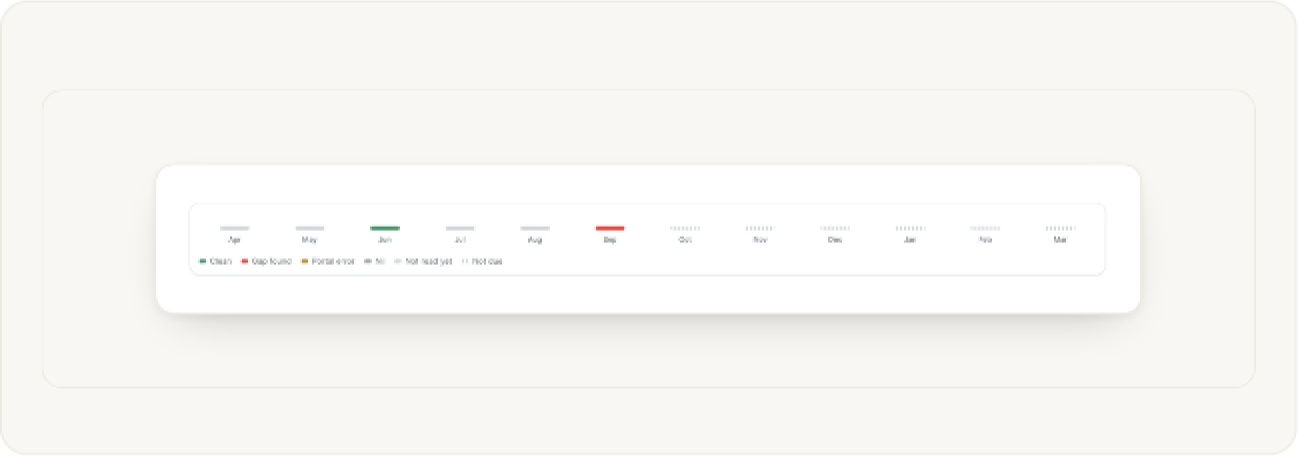
The strip shows April to March. Each month has a mark: Clean, Gap found, Portal error, Nil, Not read yet or Not due. A red mark tells you which month to open first.
Read the period table
Each row is a month with the credit on one side, the amount claimed on the other and the difference between them. The outcome on the right says what happened: Clean, Mismatch, 2B not ready or Not attempted. Open a row to read the explanation.
A row with a red edge needs attention. The last row totals the periods that were compared.
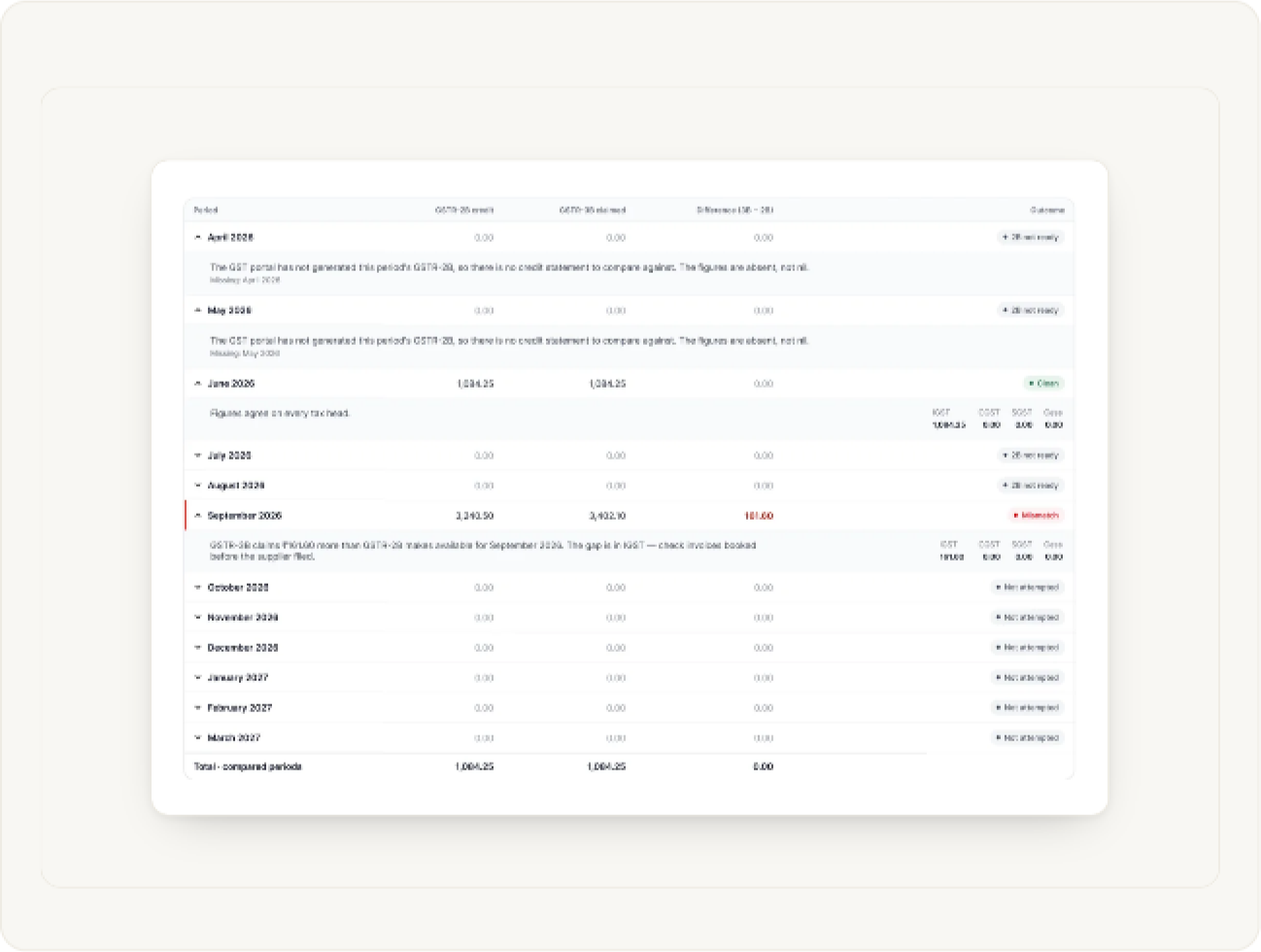
Investigate a mismatch
An expanded mismatch says how much more was claimed than the portal makes available, and which tax head the gap sits in (IGST, CGST, SGST or Cess). Check invoices that were booked before the supplier filed.
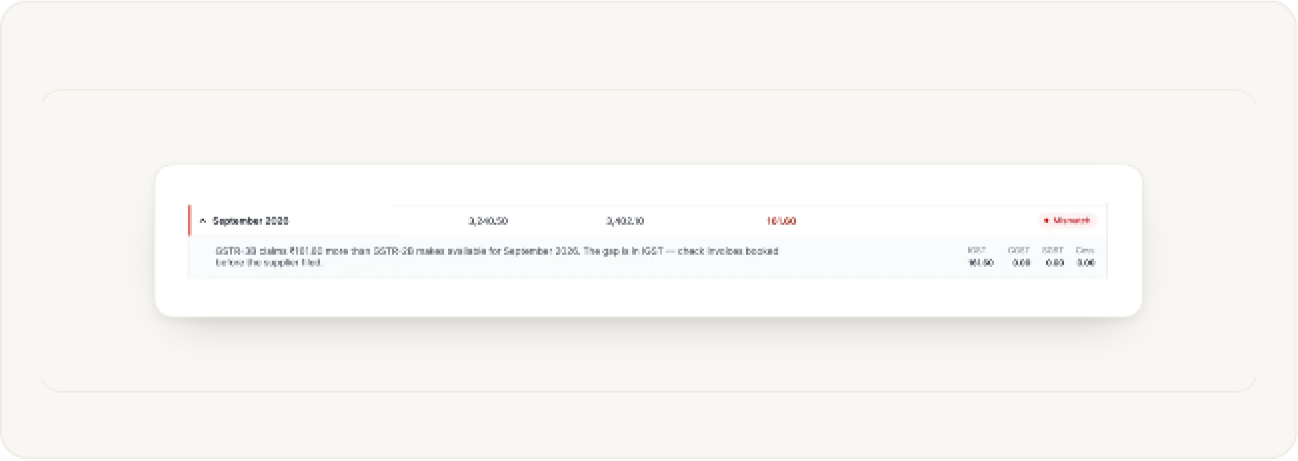
Run the extra GSTR-3B checks
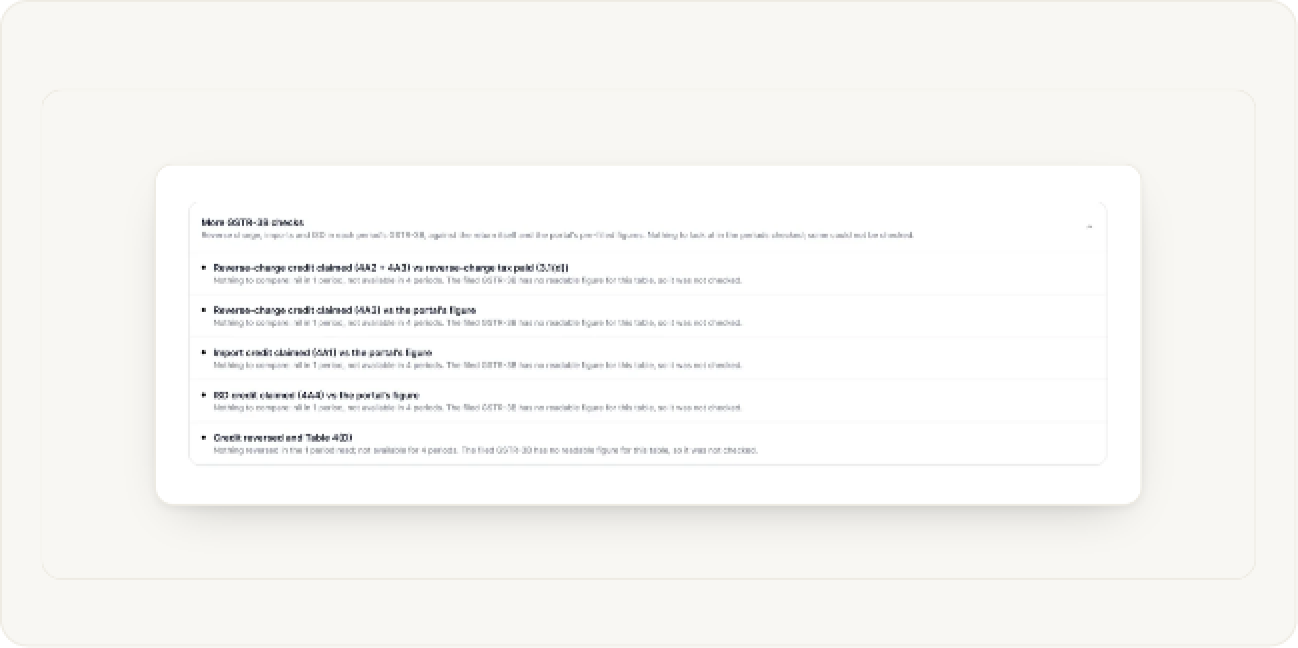
More GSTR-3B checks covers reverse charge, imports and ISD credit, and credit reversed, each against the return itself and the portal’s pre-filled figures. Each line says whether there was anything to compare, or why a check could not run.
A line at the bottom of the page shows when the portal data was last read.
Compare your books
Compare your books
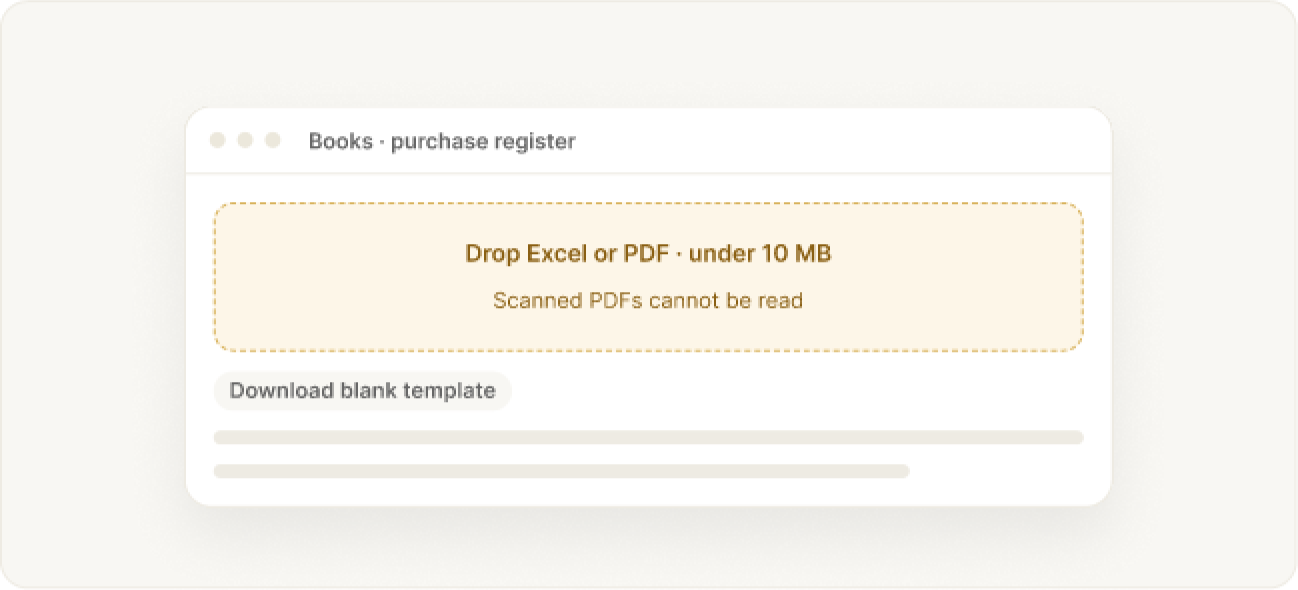
Upload a purchase or sales register as Excel or PDF, under 10 MB, exported from your accounting software. A blank template is available.
Scanned PDFs cannot be read.
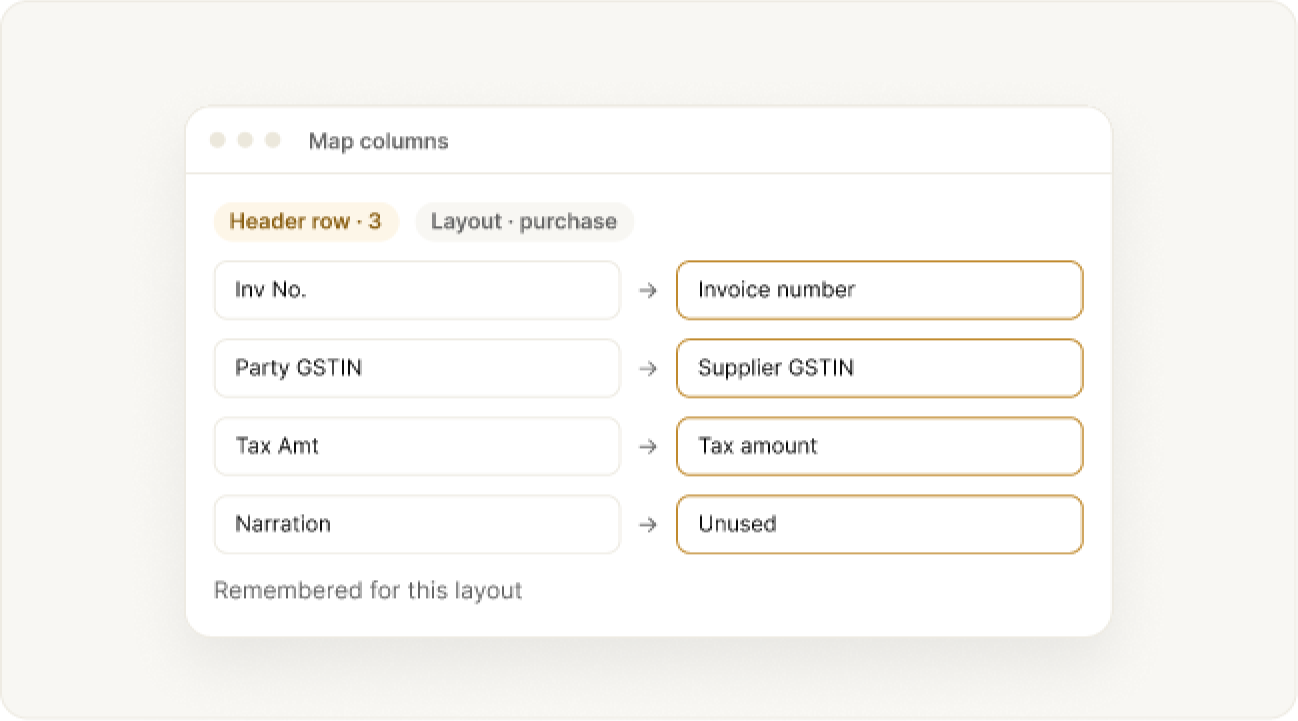
Map columns, if asked
Mark the heading row and the register layout, then say what each column means or mark it unused. Your answers are remembered for files with the same layout.
Read the result
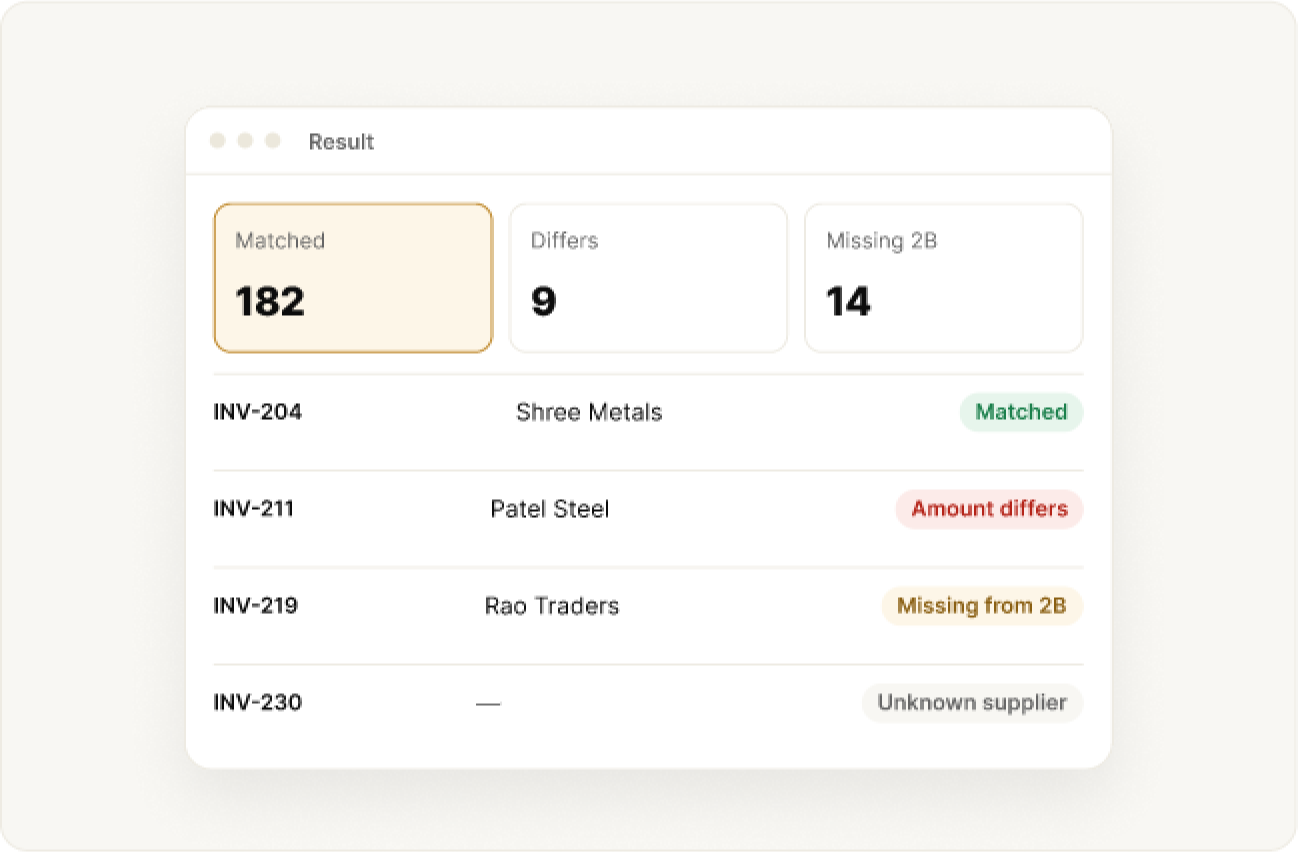
Review the year summary, click a figure to filter invoices, filter by outcome, or view by supplier. Each invoice carries an outcome, and the info icon tells you why.
- Matched, amount differs, possible duplicate
- Missing from 2B, missing from books, unknown supplier
- No 2B data, wrong period or duplicate entry
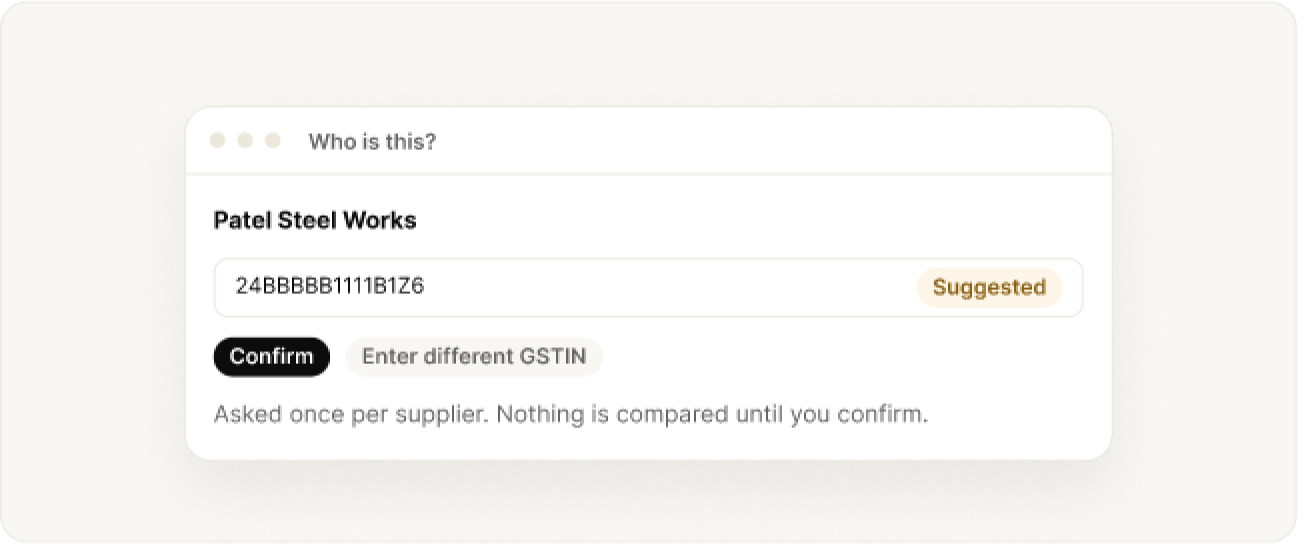
Name a supplier: “Who is this?”
Confirm the suggested GSTIN or enter the right one. You are asked once per supplier, and nothing is compared until you confirm.
Narrow the list and review exclusions
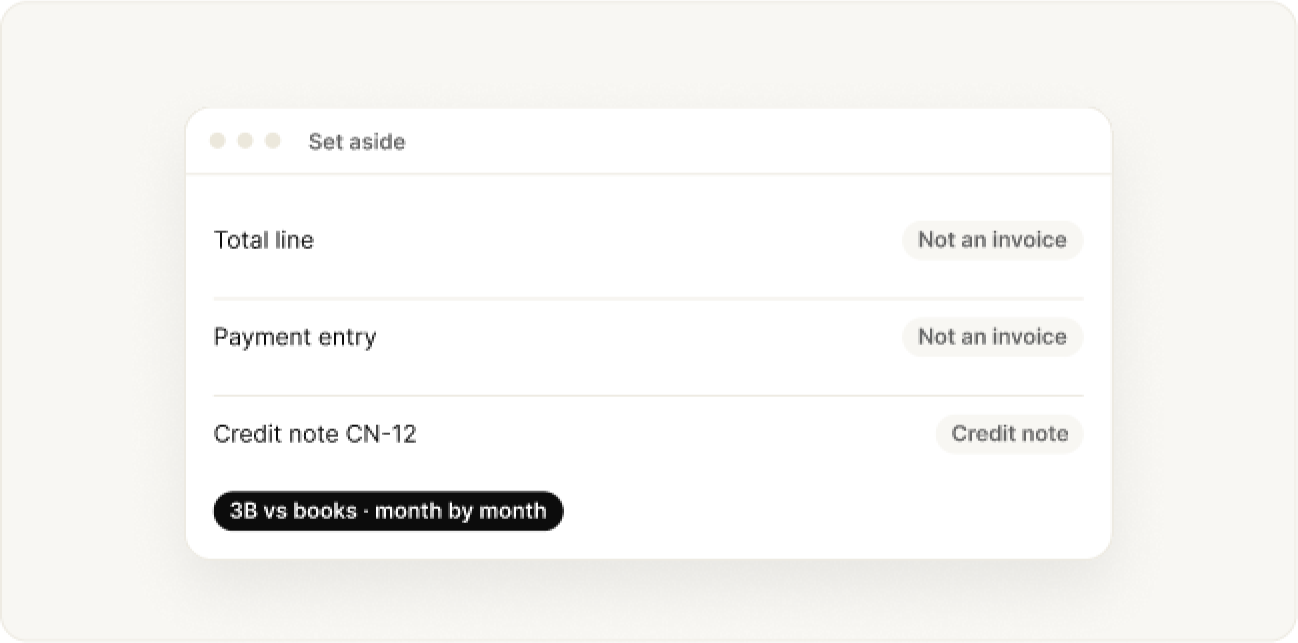
Filter by outcome, review lines that were set aside (totals, payments, credit notes) with reasons, and reopen earlier comparisons.
3B vs books compares your register with GSTR-3B credit month by month. Gaps often come from timing, blocked credit or reverse charge.
Help
When something looks wrong
- Totals do not match the invoices read
- Scanned file, cover page, or file over 10 MB
- Many “No 2B” or “Who is this?” results
- No matches at all
- OTP rejected, or a rate limit
- A reconciliation is already running
Still stuck? Write to the BharatX team with a short description and a screenshot. Include the client’s GSTIN, and never send their portal password.
Was this guide helpful?