%20for%20navbar/footer%20logo.%20--%3e%3csvg%20version='1.1'%20xmlns='http://www.w3.org/2000/svg'%20viewBox='61.4%2076.9%20205.2%20174.1'%3e%3cg%20transform='translate(61.4,76.9)%20scale(2.3855)'%3e%3cpath%20d='M69,7%20C69,10.1251958%2070.4336074,12.9155546%2072.6790647,14.7493188%20L67.719258,14.7476636%20L67.719258,73%20L53.7770578,73%20L53.7770578,36.1028037%20L42.1585577,36.1028037%20C42.0110212,41.2616822%2041.0335918,46.0280374%2039.2262695,50.4018692%20C37.4189473,54.7757009%2034.7632901,58.2897196%2031.259298,60.9439252%20C27.7553059,63.5981308%2023.4951892,64.9252336%2018.4789479,64.9252336%20C15.0856081,64.9252336%2011.9688994,64.2336449%209.12882154,62.8504673%20C6.28874373,61.4672897%204.05725402,59.5981308%202.43435241,57.2429907%20C0.811450804,54.8878505%200,52.2523364%200,49.3364486%20C0,43.728972%202.2868159,39.411215%206.86044771,36.3831776%20C11.4340795,33.3551402%2017.8888018,31.8411215%2026.2246146,31.8411215%20L28.2163575,31.8411215%20L28.2163575,17.1495327%20C28.2163575,13.2616822%2027.5708853,10.3084112%2026.2799408,8.28971963%20C24.9889963,6.27102804%2023.2738844,5.26168224%2021.134605,5.26168224%20C19.0690939,5.26168224%2017.4646343,5.99065421%2016.3212264,7.44859813%20C15.1778184,8.90654206%2014.6061145,10.7943925%2014.6061145,13.1121495%20C14.6061145,15.2056075%2015.2515867,16.9813084%2016.5425312,18.4392523%20C17.8334756,19.8971963%2019.3641669,20.6635514%2021.134605,20.7383178%20C18.1838748,23.5046729%2014.9380716,24.8878505%2011.3971954,24.8878505%20C8.74153821,24.8878505%206.52849056,23.953271%204.75805244,22.0841121%20C2.98761432,20.2149533%202.10239526,17.8971963%202.10239526,15.1308411%20C2.10239526,10.6448598%203.90971751,7.1682243%207.524362,4.70093458%20C11.1390065,2.23364486%2015.6757542,1%2021.134605,1%20C24.9705543,1%2028.4929885,1.76635514%2031.7019075,3.29906542%20C34.9108266,4.8317757%2037.4558314,6.94392523%2039.3369219,9.63551402%20C41.2180124,12.3271028%2042.1585577,15.2803738%2042.1585577,18.4953271%20L42.1585577,31.8411215%20L53.7770578,31.8411215%20L53.7770578,14.7476636%20L45.9207387,14.7476636%20L45.9207387,0.710280374%20L71.2262661,0.70907886%20C69.8340595,2.42730587%2069,4.61625042%2069,7%20Z%20M28.2163575,36.1028037%20L26.2246146,36.1028037%20C21.7985193,36.1028037%2018.6449264,37.1682243%2016.7638359,39.2990654%20C14.8827454,41.4299065%2013.9422002,44.5140187%2013.9422002,48.5514019%20C13.9422002,51.6915888%2014.4401359,54.4953271%2015.4360073,56.9626168%20C16.4318788,59.4299065%2018.0732225,60.6635514%2020.3600384,60.6635514%20C22.9419273,60.6635514%2024.896786,59.0747664%2026.2246146,55.8971963%20C27.5524432,52.7196262%2028.2163575,48.5140187%2028.2163575,43.2803738%20L28.2163575,36.1028037%20Z'%20fill='%23000000'/%3e%3ccircle%20cx='79'%20cy='7'%20r='7'%20fill='%23AE8B47'/%3e%3c/g%3e%3c/svg%3e)
BharatX Product
The Analyser guide
Upload a notice or order and get a summary, a legal strategy and a draft reply or appeal.
Before you start
- PDF or image files
- Up to 15 documents, each under 35 MB
- You make the final call
| Forms | Task | Use it to |
|---|---|---|
| DRC-01 · ASMT-10 · DRC-01A | Reply to a notice | Respond to a show-cause or scrutiny notice. |
| APL-01 | First appeal | Appeal an adjudication order. |
| APL-05 | Tribunal appeal | Appeal an Order-in-Appeal. |
Prepare
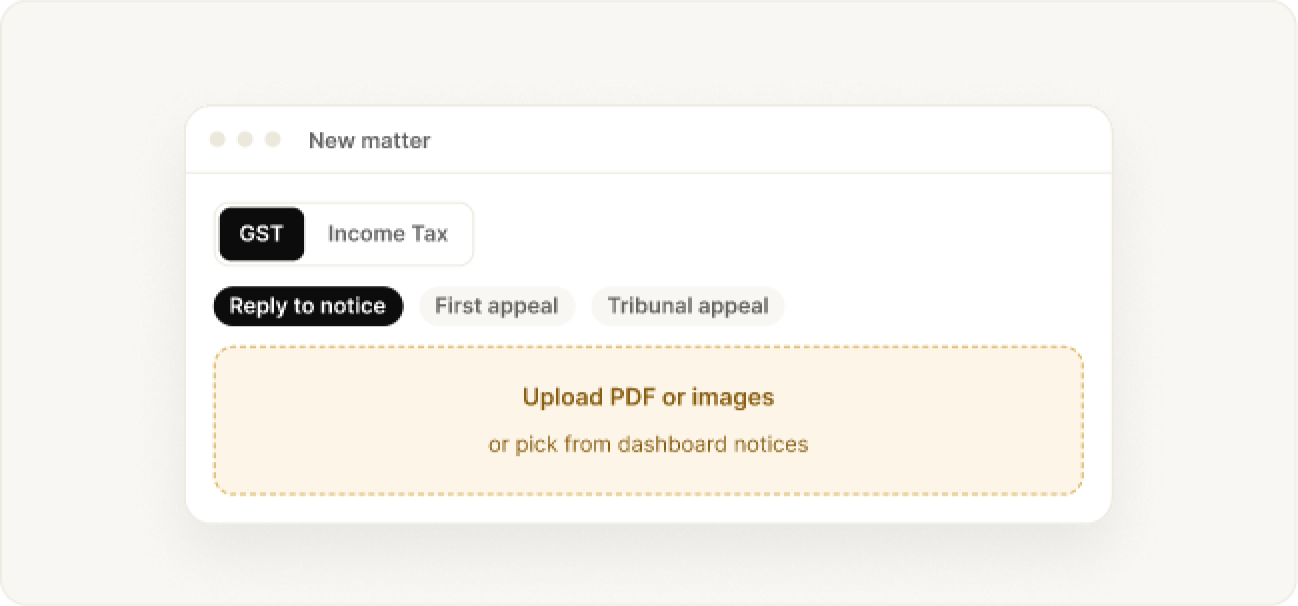
Start a matter
Choose GST or Income Tax, pick the task, then upload files from your computer or from notices already on your dashboard. PDF and common image types work.
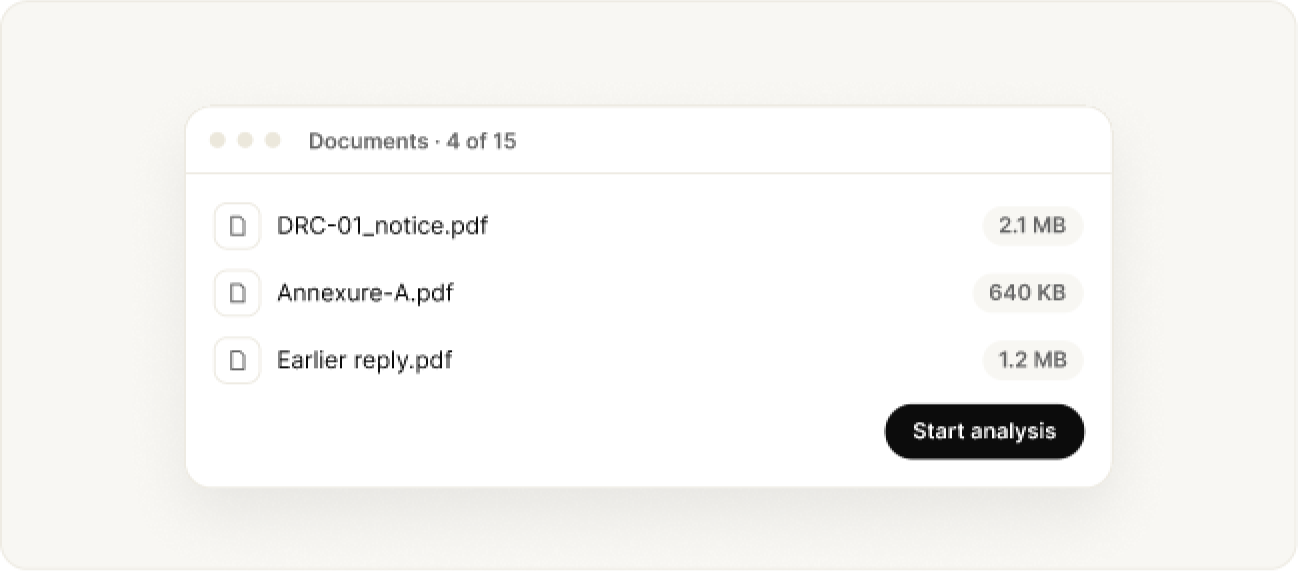
Check the documents, then start
Preview or remove uploads, add annexures and earlier replies, then click Start analysis. The first result takes one to three minutes.
Up to 15 documents per matter, each under 35 MB. Several photos combine into one document.
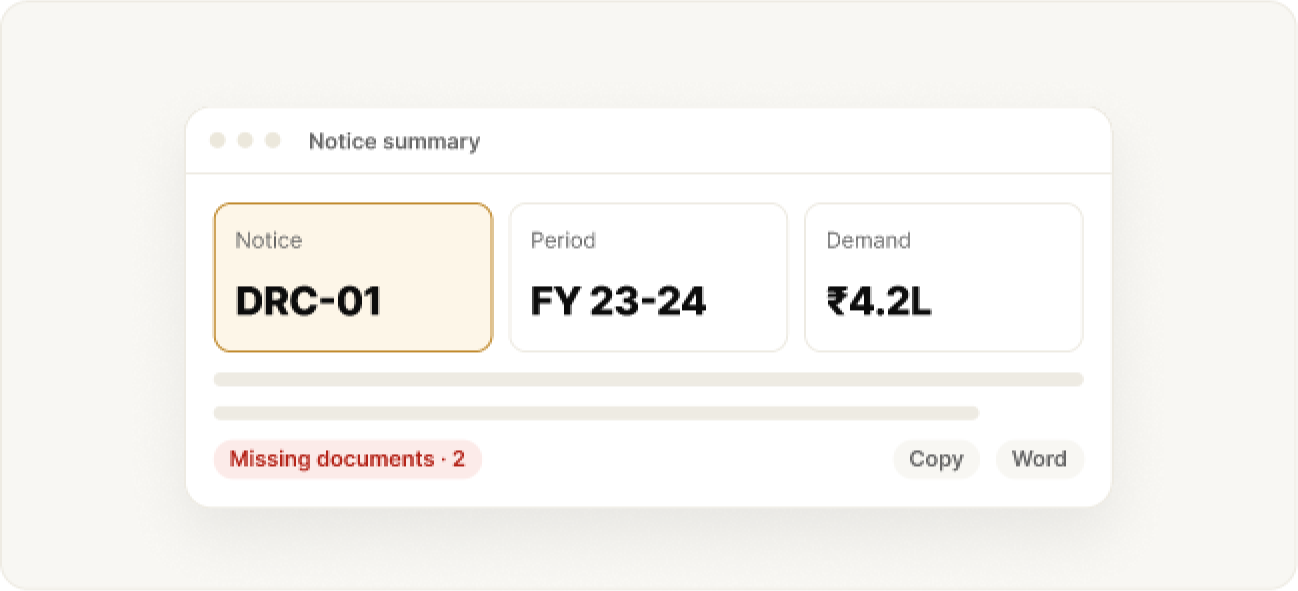
Read the summary
Review the Notice Summary (Case Analysis for appeals): notice type, period, issue, demand and reply date. Copy it or download it as Word.
Missing Documents lists references you have not uploaded yet.
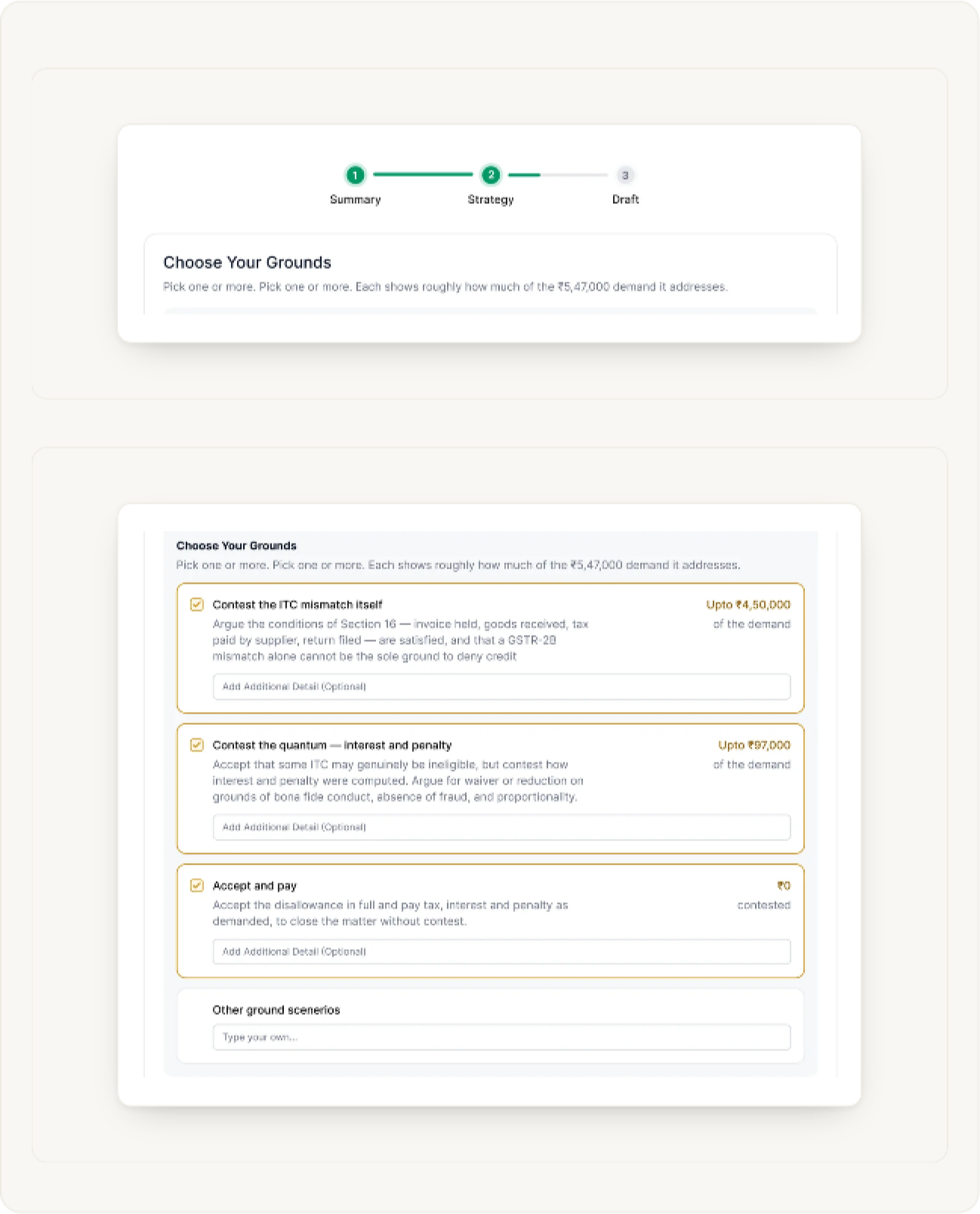
Choose your grounds
A progress bar at the top shows where you are: Summary, Strategy, Draft. In Choose Your Grounds, pick one or more. Each shows roughly how much of the demand it addresses, for example Upto ₹4,50,000.
- Tick a ground, and add client facts in Add Additional Detail under it.
- Write your own under Other ground scenarios.
Read the legal strategy
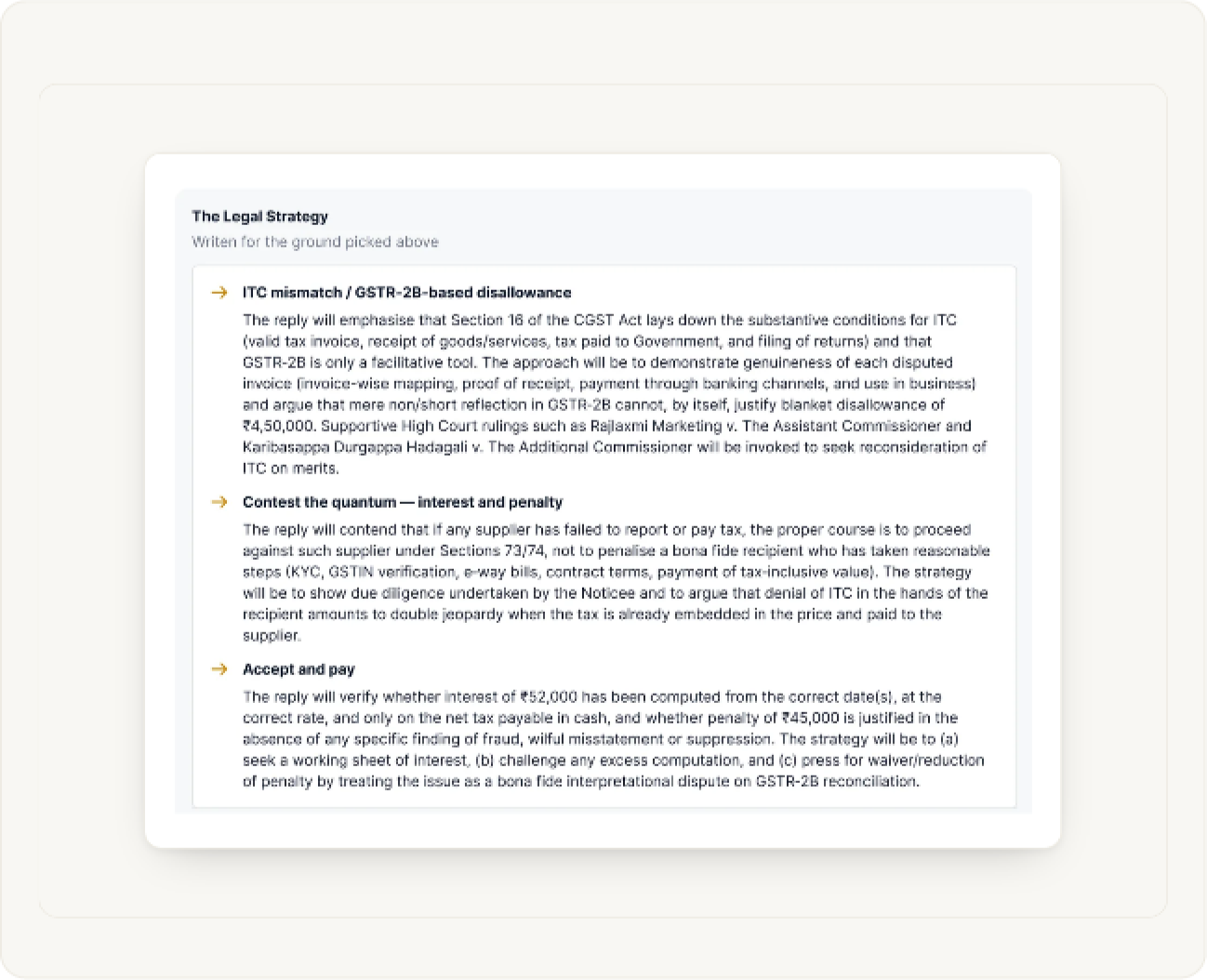
The Legal Strategy is written for the grounds you picked. For each one it explains the line the reply will take and the rulings it will lean on, so you can check the approach before anything is drafted.
Check the authorities
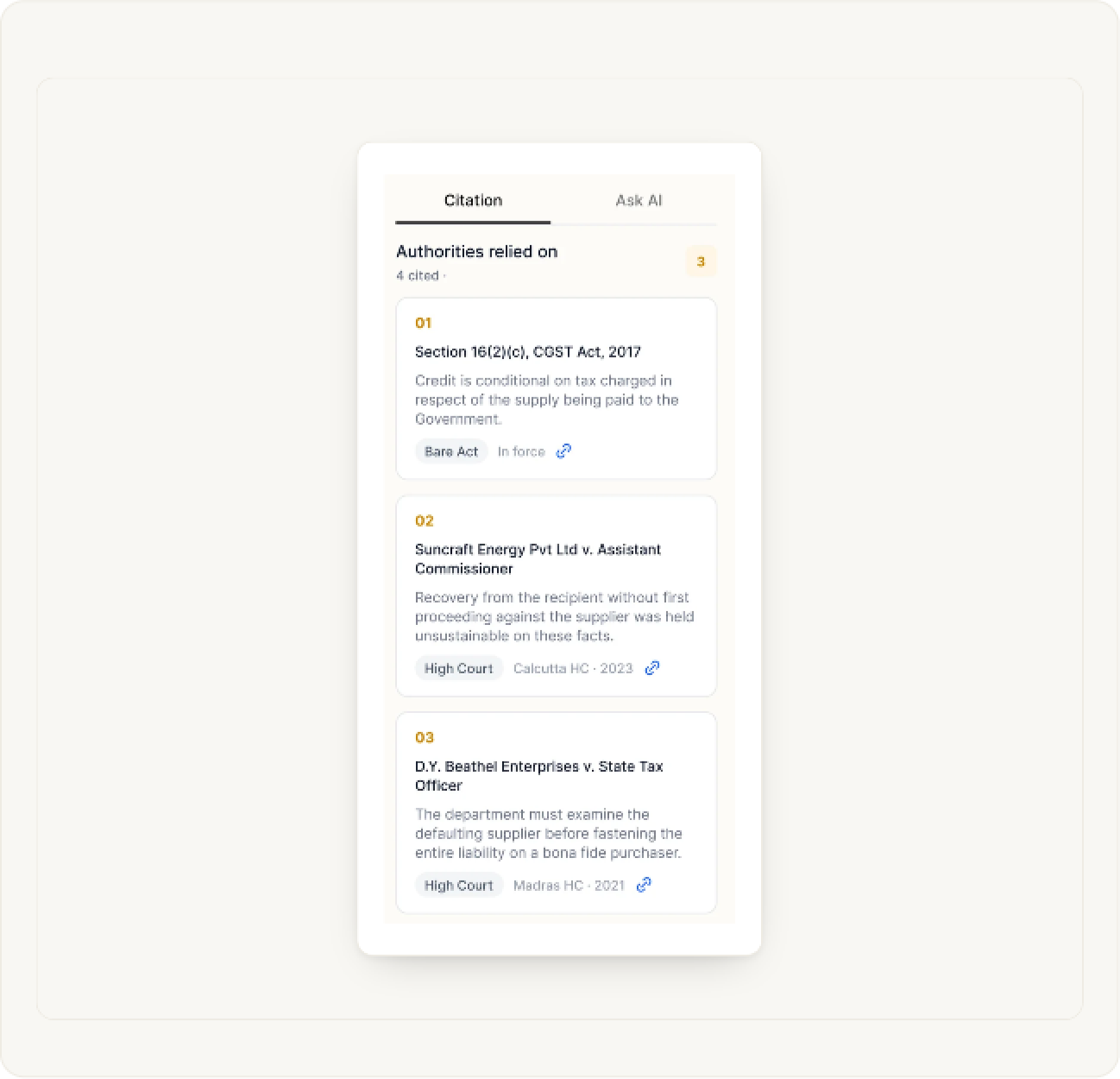
The panel on the right has two tabs. Citation lists the Authorities relied on, each with a short note and a link. Ask AI lets you ask questions about the matter as you go.
Draft
Prepare the reply
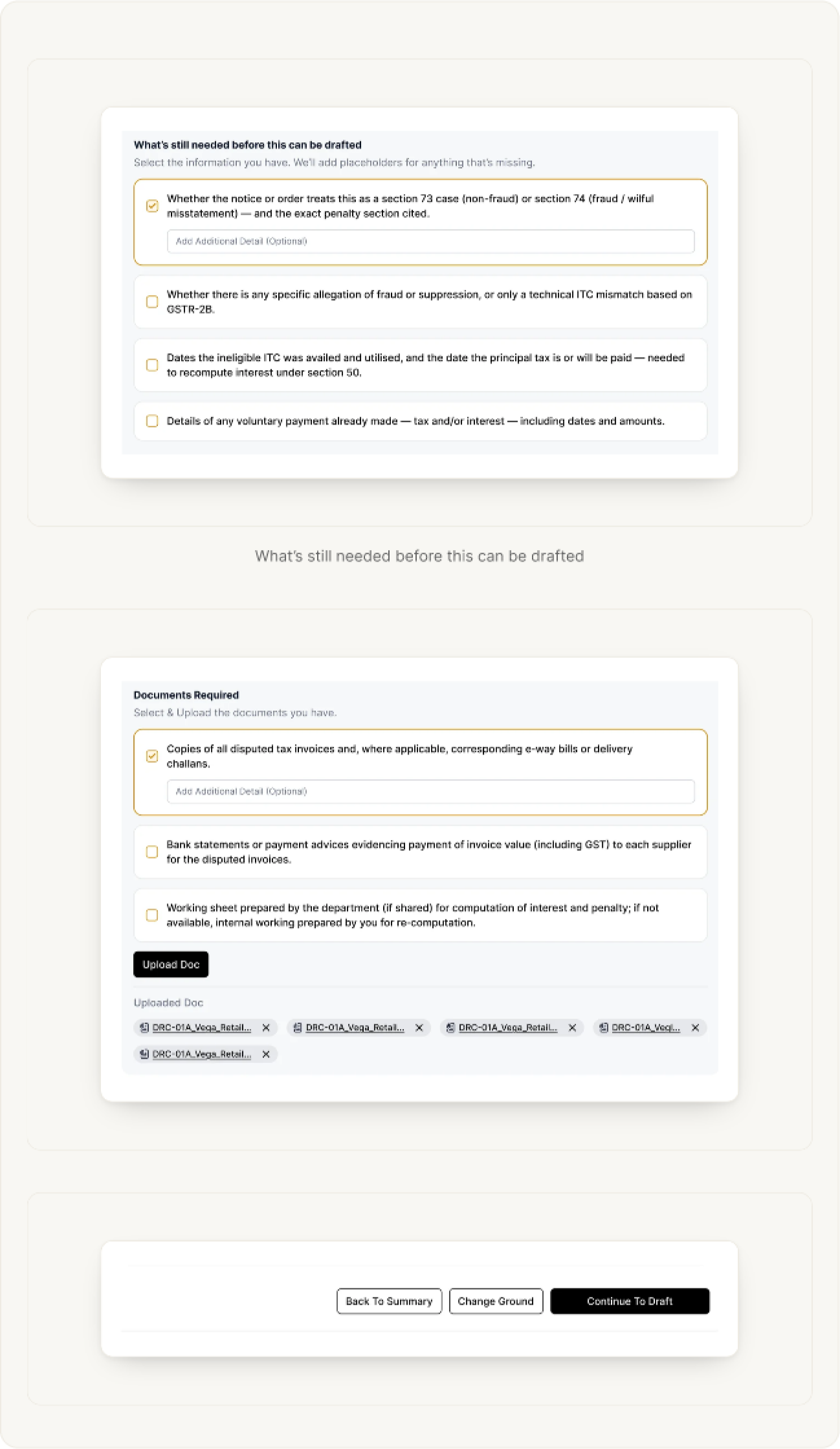
Before drafting, tell BharatX what you have. Under What’s still needed before this can be drafted, tick the facts you can supply. Under Documents Required, tick the documents you have and use Upload Doc to add them. Uploaded files appear as chips below.
Anything you leave out is added as a placeholder in the draft. Then choose Continue To Draft, or go back with Back To Summary or Change Ground.
Edit and download
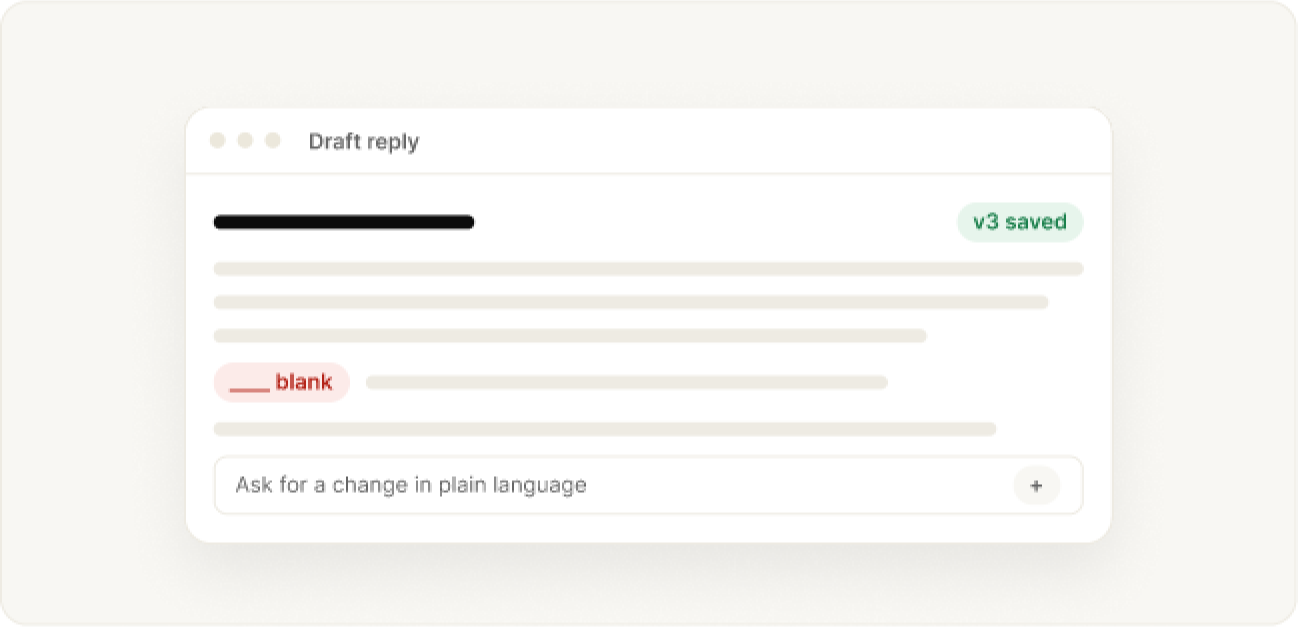
Edit the letter and save. Earlier versions are kept. Copy it or download it as Word. Ask for changes in plain language, and add more documents with +. Sources under each answer link to the cited sections, rules and judgments.
Check every draft against the documents before you send it. The final decisions are yours.
Appeals
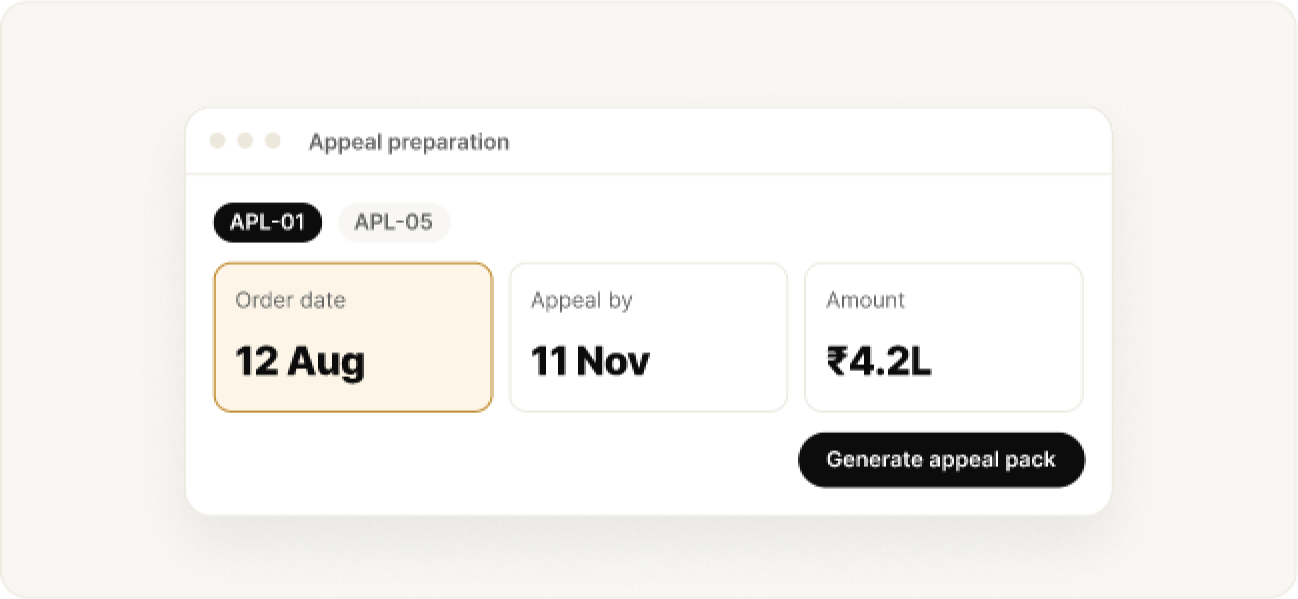
The flow is the same: Case Analysis, Grounds of Appeal, Appeal Preparation (key dates and amounts), then Generate Appeal Pack.
Enter the order communication date carefully. The appeal deadline depends on it.
Manage
Come back, share or delete
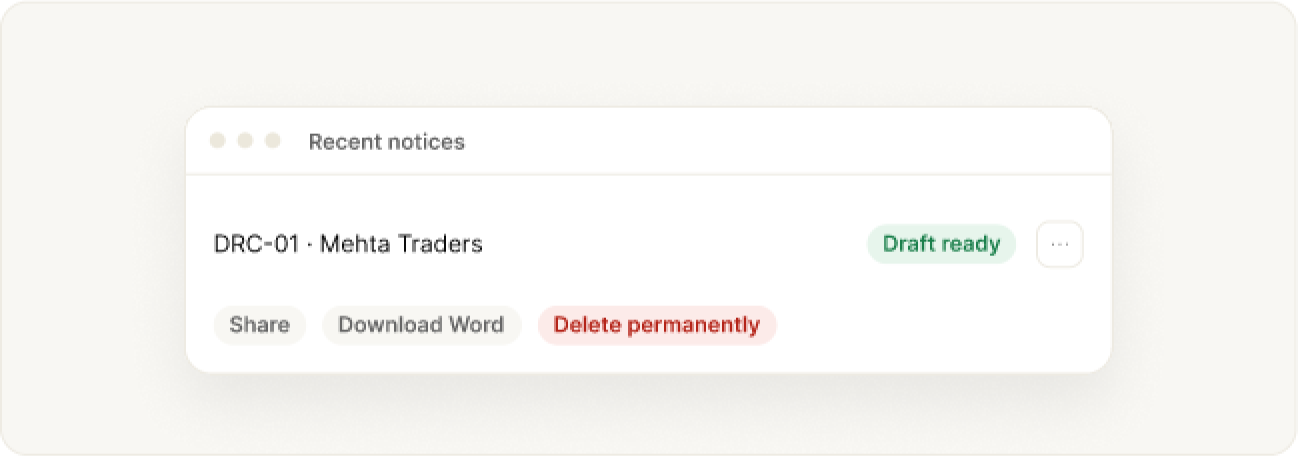
Reopen any matter from Recent Notices. The menu offers Share, Download as Word and Delete. Deleting is permanent.
Help
When something looks wrong
- Too many files, or a file is too large
- File type not supported
- The summary misread the notice
- A processing error
- Results are slow
- A PDF was not fetched, or a plan limit message
Still stuck? Write to the BharatX team with a short description and a screenshot.
Was this guide helpful?